
Step-by-Step Guide to Building Your First Full-Stack Project: A Guide for Nigerian Developers

Step-by-Step Guide to Building Your First Full-Stack Project: A Guide for Nigerian Developers As the tech industry thrives in Nigeria, the demand for skilled developers—especially those with full-stack expertise—is rising. Building your first full-stack project is an exciting step toward mastering front-end and back-end development. Whether you are a coding novice or a budding professional, this guide is tailored to help Nigerian developers navigate the process and create a project that stands out. Why Full-Stack Development? Full-stack developers are versatile professionals who handle both the front-end (user interface) and back-end (server-side logic) of applications. With tech hubs like Lagos, Abuja, and Port Harcourt growing rapidly, Nigerian developers with full-stack skills are in high demand, especially in industries like fintech, e-commerce, and edtech. Step 1: Choose Your Tech Stack The first step is selecting the technologies you will use for your project. Here is a beginner-friendly tech stack that is popular among Nigerian developers: Front-End: HTML, CSS, JavaScript (with React.js for modern projects) Back-End: Node.js (with Express.js for simplicity) Database: MongoDB (NoSQL) or MySQL (SQL) Version Control: Git and GitHub Deployment: Platforms like Heroku, Netlify, or AWS Tip: Join communities like the MODE Developers Community to access premium themes, plugins, and coding resources. Step 2: Define Your Project Idea Your first project doesn’t need to be overly complex. Here are some project ideas relevant to Nigerian developers: A Basic E-Commerce Website – Build a platform for local businesses to showcase their products. A Weather App – Use an API to display weather information for Nigerian cities. A Personal Portfolio – Showcase your skills and projects to potential employers or clients. Pro Tip: Focus on solving real-world problems within your community. This approach can make your project more meaningful and impactful. Step 3: Design the Front-End Sketch Your UI: Use tools like Figma or Adobe XD for wireframing. Code Your Front-End: Start with HTML and CSS, then make your design interactive with JavaScript. Enhance with React.js: Learn React basics to build dynamic, responsive user interfaces. Example: For a Nigerian e-commerce app, ensure your design supports mobile responsiveness since many users rely on smartphones. Step 4: Build the Back-End Set Up Node.js: Install Node.js on your computer and use Express.js to create your server. Connect to a Database: Use MongoDB or MySQL to store user data. For Nigerian developers, understanding local data regulations can be crucial if your app involves sensitive information. Create APIs: Write RESTful APIs to enable communication between your front-end and back-end. Step 5: Integrate Front-End and Back-End Now it is time to merge the front-end and back-end: Use Axios or Fetch API: For making HTTP requests from the front-end to your back-end APIs. Test Endpoints: Use tools like Postman to ensure your APIs work as expected. Step 6: Host and Deploy Your Application Deploying your application makes it accessible online. Popular options include: Netlify: Great for static front-end hosting. Heroku: Easy to deploy full-stack projects. Modewebhost.com.ng: A Nigerian hosting service ideal for developers seeking local solutions. Step 7: Test and Iterate User Testing: Ask friends or family to test your app and provide feedback. Debugging: Use browser developer tools and back-end logging to fix any issues. Step 8: Share and Showcase Your Work Once your project is ready, showcase it to potential clients or employers. Use platforms like: GitHub – Share your code repository. LinkedIn – Highlight your project in posts or articles. Portfolio Websites – Create a personal site to display all your work. Join Communities: Nigerian platforms like DevCareers or global networks like Stack Overflow can provide additional exposure and feedback. Final Thoughts Building your first full-stack project may seem challenging, but with persistence and the right guidance, it is achievable. By focusing on practical applications and leveraging resources like the MODE Developers Community, Nigerian developers can thrive in the tech space. Ready to start? Pick an idea, set up your environment, and start coding today. The future of tech in Nigeria is bright, and your contributions can make a difference!
Step-by-Step Guide to Launching an E-commerce Store for SMEs

Step-by-Step Guide to Launching an E-commerce Store for SMEs In today’s digital age, having an online store is no longer optional—it is essential for small and medium enterprises (SMEs) looking to thrive. E-commerce unlocks opportunities to reach a broader audience, streamline operations, and boost sales. However, launching an e-commerce store involves more than just setting up a website. This step-by-step guide will help SMEs navigate the process, with a special focus on how ModeWebHost can simplify web development, hosting, and domain registration. Why SMEs Need an E-commerce Store Increased Reach: Sell to customers locally and globally without geographical limits. 24/7 Availability: Your store is open around the clock, increasing sales potential. Cost Efficiency: Reduce overhead costs compared to maintaining a physical store. Scalability: Easily expand your product catalogue or target market with an e-commerce platform. Step 1: Define Your E-commerce Goals Start by identifying your target audience, products or services, and business objectives. Questions to consider include: What problem does my product solve? Who are my ideal customers? How will I measure success (sales, customer retention, etc.)? Step 2: Choose the Right E-commerce Platform Select a platform that suits your business size and budget. Options like WooCommerce, Shopify, or Magento are popular, but their effectiveness depends on your specific needs. Why ModeWebHost is Key: ModeWebHost offers: Affordable hosting packages tailored for SMEs. One-click installation for WordPress and WooCommerce, enabling seamless store setup. Free tutorials to guide you through the platform integration process. Step 3: Register a Domain Name Your domain name is your online identity. It should be short, memorable, and reflective of your brand. ModeWebHost Advantage: Easy domain registration with competitive pricing. A wide range of domain extensions (.com, .ng, .store) to fit your business needs. Free DNS management tools for better control. Step 4: Secure Reliable Hosting Your hosting plan impacts website speed, uptime, and customer experience. Choose hosting that ensures scalability and robust security. Why ModeWebHost Stands Out: High-Speed Servers: Ensure quick loading times to improve customer retention. 99.9% Uptime Guarantee: Keep your store accessible around the clock. SSL Certificates: Secure customer data with free SSL integration. 24/7 Support: Get technical assistance whenever you need it. Step 5: Design Your Store Your website design should be visually appealing, user-friendly, and mobile-responsive. Use pre-designed themes to save time. Optimize your navigation to make it easy for customers to find products. Focus on a seamless checkout process to reduce cart abandonment. ModeWebHost’s Role: Access premium themes and plugins to create a professional store. Free consultation to help you customize your design to fit your brand. Step 6: Add Products and Content Write clear, engaging product descriptions. Use high-quality images to showcase your products. Create content like blogs and FAQs to boost SEO and provide value to visitors. Step 7: Integrate Payment and Shipping Options Offer multiple payment gateways (Paystack, Flutterwave, etc.) to cater to diverse customer preferences. Partner with reliable shipping companies for fast delivery. Step 8: Test Your Store Before going live, test every aspect of your website, including: Loading speed on mobile and desktop. Payment gateway functionality. Navigation and search bar efficiency. Step 9: Launch and Promote Your Store Once everything is in place, launch your store with a marketing plan that includes: Social Media Marketing: Build excitement with countdowns and announcements. Email Campaigns: Notify existing customers about your new store. SEO Optimization: Rank higher in search results by optimizing product pages and content. ModeWebHost Bonus: Subscribers to the MODE Developers Community enjoy exclusive SEO tools, premium plugins, and marketing resources to give your store a competitive edge. Conclusion Launching an e-commerce store may seem daunting, but with the right tools and support, you can set up a successful online business. ModeWebHost is your all-in-one partner, providing affordable hosting, seamless domain registration, and professional support tailored for SMEs. Ready to start your e-commerce journey? Visit ModeWebHost today and take the first step toward growing your business online. Let’s hear from you: What challenges do you face in setting up an e-commerce store? Share your thoughts in the comments!
Top Bulk Email Service Providers in Nigeria: Spotlight on ModeWebHost.com.ng
Top Bulk Email Service Providers in Nigeria: Spotlight on ModeWebHost.com.ng In today’s fast-paced digital landscape, email marketing remains one of the most powerful tools for businesses to connect with their audience, generate leads, and drive sales. Whether you run a startup, an e-commerce platform, or an established business, bulk email services help streamline customer communication. For businesses in Nigeria, selecting the right email service provider is crucial. This post highlights the top bulk email service providers in Nigeria, focusing on ModeWebHost.com.ng, a trusted platform offering reliable email marketing solutions tailored to the Nigerian market. Why Bulk Email Services Matter for Businesses Bulk email services are essential for: Mass Communication: Send newsletters, promotional offers, and announcements to thousands of recipients simultaneously. Customer Engagement: Build lasting relationships with customers through personalized email campaigns. Cost-Effective Marketing: Reach a broad audience without the hefty price tag of traditional advertising. Analytics and Reporting: Monitor the performance of your campaigns to improve strategies. Top Features to Look for in a Bulk Email Service Provider Before choosing a provider, consider the following features: – High email deliverability rate – User-friendly interface – Advanced analytics and reporting – Customizable email templates – Scalability for growing businesses – Competitive Pricing ### **Introducing ModeWebHost.com.ng: The Best Choice for Bulk Email Services** ModeWebHost.com.ng stands out as a reliable bulk email service provider in Nigeria. With its commitment to helping businesses succeed online, the platform offers robust features that make email marketing seamless and efficient. Key Features of ModeWebHost.com.ng’s Bulk Email Services High Deliverability Rates ModeWebHost ensures your emails land in your customers’ inboxes, minimizing the chances of emails being marked as spam. User-Friendly Dashboard With an intuitive interface, users can easily create, send, and monitor email campaigns without requiring technical expertise. Customizable Templates Access a variety of professional email templates that can be tailored to fit your brand’s identity. Scalability Whether you’re sending emails to 1,000 or 100,000 recipients, ModeWebHost.com.ng offers packages that grow with your business. Affordable Pricing Designed with Nigerian businesses in mind, ModeWebHost offers competitive rates, making it accessible for startups and SMEs. 24/7 Support The platform provides round-the-clock support to ensure your campaigns run smoothly. Benefits of Choosing ModeWebHost.com.ng – Local Expertise: Being a Nigerian-based platform, ModeWebHost understands the unique challenges and opportunities within the local market. – Integration with Other Services: Easily integrate email marketing with your website hosted on ModeWebHost for a seamless experience. – Secure and Reliable Infrastructure: Your data and email campaigns are protected with top-notch security protocols. Other Leading Bulk Email Service Providers in Nigeria While ModeWebHost.com.ng is a top choice, here are a few other notable providers: MailGist: Offers robust email marketing tools with support for SMEs in Nigeria. Webmail.ng: Specializes in providing affordable bulk email services for businesses of all sizes. Emailify: Provides advanced segmentation and automation features for targeted campaigns. How to Get Started with ModeWebHost.com.ng Starting with ModeWebHost.com.ng is easy: Visit (http://www.ModeWebHost.com.ng). Explore their bulk email packages. Sign up and create your account. Customize your email campaigns using their intuitive dashboard. Start sending emails and watch your business grow! Conclusion When it comes to bulk email services in Nigeria, ModeWebHost.com.ng offers a perfect blend of reliability, affordability, and cutting-edge features. Whether you are new to email marketing or looking to switch providers, this platform is a great choice to drive your marketing efforts forward. Ready to elevate your email marketing game? Explore the possibilities with ModeWebHost (http://www.ModeWebHost.com.ng) today!
Top 10 Web Hosting Services in Nigeria You Should Know
Top 10 Web Hosting Services in Nigeria You Should Know The demand for reliable web hosting services in Nigeria is growing rapidly, as businesses and individuals aim to establish a strong online presence. Whether you are a budding entrepreneur, a blogger, or a large-scale enterprise, selecting the right web host is crucial. In this blog post, we will explore the top 10 web hosting services in Nigeria that deliver exceptional performance, affordability, and customer support. Among these, ModeWebHost.com.ng stands out as a top choice for both beginners and seasoned users. ModeWebHost.com.ng – Reliable and Affordable Hosting for Everyone ModeWebHost (https://modewebhost.com.ng) is a trusted name in Nigeria’s web hosting industry. Known for its user-friendly interface, reliable uptime, and affordable pricing plans, ModeWebHost is perfect for small businesses, bloggers, and developers. Features of ModeWebHost.com.ng: – 99.9% Uptime Guarantee: Ensures your website remains online. – Affordable Plans: Budget-friendly options starting at just ₦2,000 per year. – 24/7 Customer Support: Get assistance whenever you need it. – Free Domain Name: Available with select plans. – One-Click Installations: Easily set up WordPress, Joomla, and other CMS platforms. – Unlimited Bandwidth: Handle traffic spikes without worries. ModeWebHost also provides domain registration, website building tools, and hosting plans tailored to Nigerian users. Whether you are a beginner or looking for advanced hosting solutions, ModeWebHost has you covered. Whogohost Whogohost is one of Nigeria’s largest hosting providers, offering a variety of services such as shared hosting, VPS, and reseller hosting. They are well-known for their affordable domain registration and beginner-friendly hosting plans. Key Features: – Domain name registration and hosting bundles. – Reliable support via multiple channels. – Easy integration with local payment options. SmartWeb Nigeria SmartWeb has been around since 2004, providing web hosting services for businesses across Nigeria. Their hosting plans are competitively priced and cater to diverse customer needs. Why Choose SmartWeb: – Affordable web hosting plans. – Free SSL certificates for all packages. – Customizable VPS and dedicated server solutions. 4. DomainRacer Nigeria DomainRacer offers hosting services with a focus on speed and security. Their affordable plans make them a popular choice for startups and individuals. Highlights: – SSD storage for faster website performance. – Free cPanel and SSL certificates. – 24/7 live chat support. QServers QServers is a trusted name in the Nigerian web hosting market, particularly for businesses that need robust and scalable hosting solutions. Features: – Flexible hosting packages. – Great uptime and fast servers. – Easy-to-use website builder tools. Truehost Nigeria Truehost is known for its cloud-based hosting services and competitive pricing. They offer a free hosting package for small websites and startups. Key Features: – Free hosting for entry-level users. – Cloud-based hosting for better scalability. – 24/7 customer support. BlueHost Nigeria Although a global brand, Bluehost offers services tailored to the Nigerian market. Their hosting plans are ideal for WordPress users. Why Choose Bluehost: – Free domain for the first year. – 1-click WordPress installation. – Reliable customer support. HostNowNow HostNowNow offers cost-effective hosting services designed for startups and small businesses. Notable Features: – Free hosting for NGOs. – Variety of hosting packages. – Excellent customer service. Utiware Utiware is a Nigerian hosting company offering web hosting, VPS hosting, and email hosting services. They’re known for their corporate hosting solutions. Advantages: – Secure and reliable hosting infrastructure. – Tailored plans for businesses. – 24/7 customer support. Garanntor Garanntor provides affordable hosting solutions with a focus on simplicity and reliability. Key Features: – Affordable pricing. – SSD-powered servers. – Localized customer support. Conclusion Choosing the right web hosting provider is crucial for your online success. While all the hosting services mentioned above offer reliable solutions, ModeWebHost.com.ng stands out for its exceptional blend of affordability, performance, and customer support. Whether you are launching a personal blog, an e-commerce store, or a corporate website, ModeWebHost.com.ng provides the tools and services you need to succeed. Explore their plans today and elevate your online presence! Start your journey with ModeWebHost (https://modewebhost.com.ng) – the go-to web hosting provider in Nigeria.
How to Reset Your Email Password on cPanel: A Step-by-Step Guide
How to Reset Your Email Password on cPanel: A Step-by-Step Guide Email hosting is a critical tool for individuals and businesses looking to maintain a professional online presence. For customers of Modewebhost (https://www.modewebhost.com.ng), a trusted provider of web hosting and email hosting solutions in Nigeria, managing your email accounts through cPanel is simple and effective. One of the most common tasks you may need to perform is resetting your email password. Whether for security reasons or because you have forgotten your login credentials, this guide will walk you through the process step by step. Why Choose Modewebhost for Email Hosting? Before diving into the guide, it is essential to highlight why Modewebhost stands out in the Nigerian hosting landscape: Reliable Hosting Solutions: Modewebhost offers fast and secure email hosting tailored to meet business and personal needs. Affordable Plans: Competitive pricing ensures access to premium hosting features without breaking the bank. 24/7 Support: Their expert support team is always ready to assist with technical issues, including cPanel operations. User-Friendly Interface: With cPanel integration, managing your hosting and email accounts is straightforward. Now, let’s get started with resetting your email password. Step 1: Log in to Your cPanel Account Go to your cPanel login page. For Modewebhost users, the link is typically provided during account setup. Enter your username and password, then click Log In. > Tip: If you don’t remember your cPanel credentials, check your welcome email from Modewebhost or contact their support team. Step 2: Navigate to the Email Accounts Section Once logged in, locate the Email section on the cPanel dashboard. Click on Email Accounts to view a list of all email accounts associated with your domain. Step 3: Find the Email Account You Want to Reset Scroll through the list or use the search bar to find the email account whose password needs resetting. Next to the account, click on Manage Step 4: Reset the Password In the password field, enter a new password. Ensure it is strong by including a mix of uppercase letters, lowercase letters, numbers, and special characters. Alternatively, use the Password Generator tool for a secure, random password. Save the password in a secure place, such as a password manager. Click Update Email Settings to finalize the change. > Pro Tip: Regularly updating your email passwords reduces the risk of unauthorized access. Step 5: Update Password in Your Email Client After resetting the password in cPanel, don’t forget to update it in your email client (e.g., Outlook, Gmail, or Apple Mail). This ensures uninterrupted access to your email. Open your email client settings. Navigate to the account settings for the email address. Replace the old password with the new one and save the changes. Common Issues and Solutions – Forgotten cPanel Credentials? Contact Modewebhost Support (https://www.modewebhost.com.ng) to reset your cPanel login details. – Email Not Working After Reset? Double-check that you’ve updated the new password in all email clients connected to the account. – Error Messages During Password Reset? Ensure your new password meets the strength requirements set by cPanel. Conclusion Resetting your email password on cPanel is a straightforward process, and with Modewebhost’s reliable hosting services, managing your online presence has never been easier. Whether you are an individual or a business, their robust email hosting solutions offer a seamless and secure experience. Ready to elevate your email hosting experience? Visit (https://www.modewebhost.com.ng) today to explore their affordable plans and enjoy premium features. Here is why you should choose us: – Affordable Plans: Hosting starting as low as N500. – 24/7 Support: Our team is always available to assist you. – Local Expertise: Hosting that is optimized for Nigerian businesses. At ModeWebHost.com.ng, we understand your unique needs and are offering exclusive packages for organizations like yours, including: – Discounted Hosting Plans: Flexible and cost-effective. – Free Domain Name: For qualifying organizations. – Dedicated Support: Our team is here to guide you every step of the way. Are you ready to launch your website? Don’t wait—join thousands of satisfied users who trust ModeWebHost for their web hosting needs. Looking for more tips on managing your hosting account? Stay tuned to our blog for regular updates and tutorials!
Cheapest .NG Domains in Nigeria: Why Modewebhost.com.ng is Your Best Option
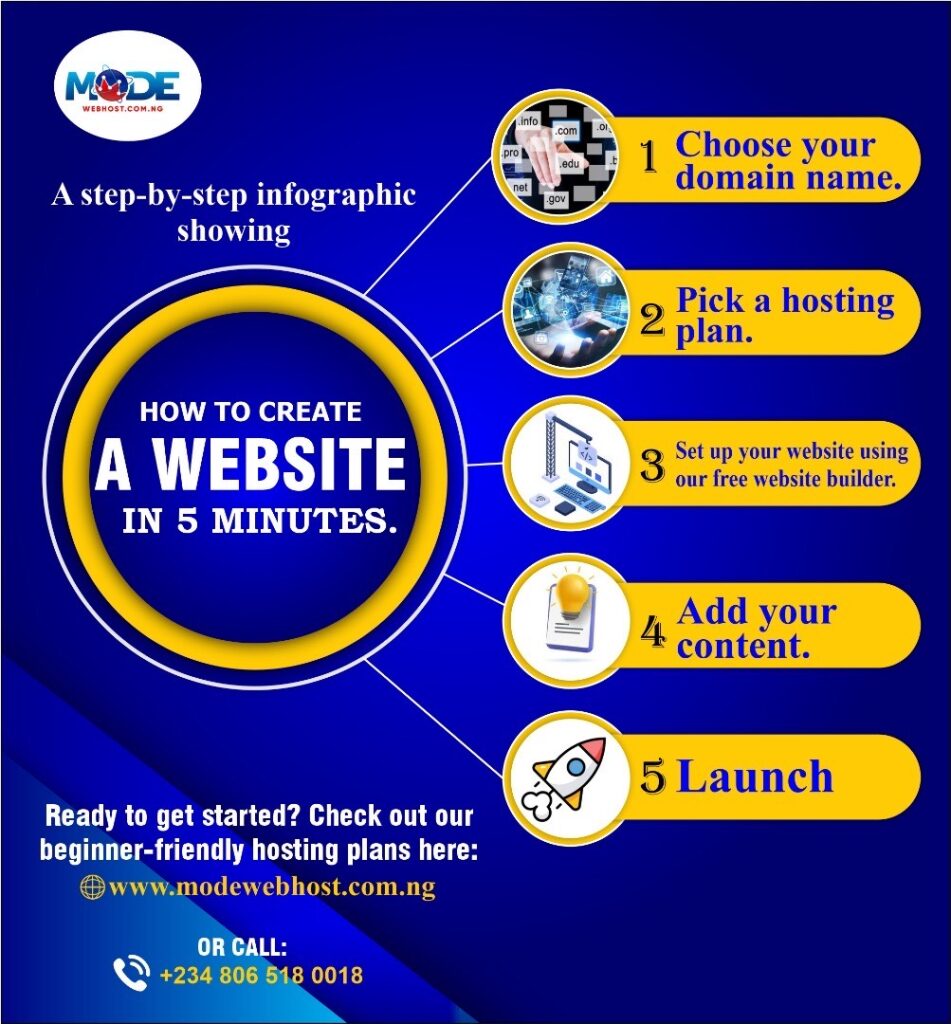
Cheapest .NG Domains in Nigeria: Why Modewebhost.com.ng is Your Best Option When it comes to establishing a strong online presence in Nigeria, registering a .ng domain is an excellent choice. Not only does it highlight your Nigerian identity, but it also boosts your local SEO, making your website more discoverable to Nigerian audiences. However, finding an affordable and reliable .ng domain registrar can be challenging. That is where Modewebhost.com.ng, a NIRA-accredited registrar, shines. In this blog, we will explore why Modewebhost.com.ng is the best option for affordable .ng domains in Nigeria and how you can get started today. Why Choose a .NG Domain? The .ng domain extension is Nigeria’s official country code top-level domain (ccTLD). It offers numerous advantages, such as: – Local identity: It reflects your Nigerian roots, making your website more relevant to local audiences. – SEO benefits: Search engines prioritize local domains in regional search results, enhancing visibility in Nigeria. – Short and memorable: .ng domains are often shorter and easier to remember compared to generic domains. – Wide availability: Many premium names are still available under the .ng extension, unlike .com. What to Look for in a .NG Domain Registrar Choosing the right registrar is crucial to ensure a smooth domain registration experience. A great registrar will offer: – Affordable pricing: Transparent fees without hidden costs. – NIRA accreditation: Official recognition from the Nigeria Internet Registration Association (NIRA). – User-friendly platform: Easy domain search and purchase processes. – Additional services: Bundles that include web hosting, SSL certificates, and email hosting. –Reliable support: 24/7 customer service to resolve issues promptly. Modewebhost.com.ng: The Best Place to Buy Cheap .NG Domains in Nigeria Modewebhost.com.ng is a trusted and NIRA-accredited registrar that offers some of the cheapest .ng domains in Nigeria. Here’s why they’re the best option for your domain registration needs: NIRA Accreditation Modewebhost.com.ng is officially recognized by NIRA, the governing body for .ng domains in Nigeria. This accreditation ensures they meet strict standards of reliability, transparency, and professionalism. Unbeatable Pricing Modewebhost.com.ng offers some of the most competitive prices for .ng domains in Nigeria. Their pricing is transparent, with no hidden charges. Whether you’re registering a standard .ng, com.ng, or org.ng domain, you’ll find the rates budget-friendly. Seamless Registration Process With Modewebhost.com.ng, registering a .ng domain is quick and hassle-free. Their user-friendly platform allows you to search for your desired domain name, check its availability, and complete the registration process in just a few clicks. Additional Services Modewebhost.com.ng doesn’t just stop at domain registration. They offer: – Affordable web hosting plans to power your website. – SSL certificates to secure your site. – Email hosting for a professional communication setup. Exceptional Customer Support Customer satisfaction is a top priority at Modewebhost.com.ng. Their responsive support team is always ready to assist, whether you need help choosing a domain or troubleshooting an issue. How to Register a Cheap .NG Domain on Modewebhost.com.ng Follow these simple steps to get your .ng domain: Visit Modewebhost.com.ng: Go to their website and use the domain search tool to check availability. Choose your domain: Select your preferred domain extension (e.g., .ng, .com.ng, org.ng). Add to cart:Proceed to checkout and review your order. Make payment: Use their secure payment gateway to complete your purchase. Start building: Your domain is now registered, and you can pair it with Modewebhost’s hosting services to launch your website. Why a .NG Domain is a Smart Investment A .ng domain is more than just a web address; it’s an investment in your brand’s visibility and credibility in Nigeria. By choosing a trusted registrar like Modewebhost.com.ng, you’re ensuring that your domain is registered securely and affordably. Conclusion If you are looking for the cheapest .ng domains in Nigeria without compromising on quality, Modewebhost.com.ng is your best bet. As a NIRA-accredited registrar, they offer unbeatable prices, reliable services, and excellent customer support. Don’t wait—secure your .ng domain today with Modewebhost.com.ng and take the first step toward building your online presence in Nigeria.
How to Start a Blog in Nigeria: A Step-by-Step Guide
How to Start a Blog in Nigeria: A Step-by-Step Guide Blogging is becoming a powerful way for individuals, freelancers, and businesses in Nigeria to share ideas, build brands, and earn income. Whether you are a creative freelancer, a small business owner, or someone passionate about storytelling, starting a blog can open countless opportunities. One crucial step in this journey is choosing the right hosting plan to ensure your blog is reliable, fast, and secure. In this article, we will walk you through how to start a blog in Nigeria and highlight how Modewebhost.com.ng, a leading Nigerian web hosting provider, can support your journey. Step 1: Define Your Blog’s Purpose and Niche Before setting up a blog, ask yourself: – What will my blog focus on? Choose a niche you are passionate about, like fashion, tech, health, or personal finance. – Who is my target audience? Define the readers you want to attract. A clear purpose and niche make your blog stand out and attract the right audience. Step 2: Choose a Domain Name Your domain name is your blog’s unique address (e.g., www.myblog.com). Make it: – Memorable: Short, catchy, and easy to spell. – Relevant: Reflect your blog’s content or brand. Modewebhost.com.ng makes it easy to register domain names, including .com.ng and other top-level domains. Their platform ensures affordability and reliability, crucial for first-time bloggers. Step 3: Get the Right Hosting Plan Web hosting is where your blog’s content lives online. A reliable hosting provider ensures: – Fast loading speeds, essential for user experience and SEO. – Maximum uptime to keep your blog accessible 24/7. – Security to protect your data and prevent hacking. Here’s why Modewebhost.com.ng stands out: Affordable Hosting Plans Modewebhost offers tailored hosting packages for beginners, freelancers, and businesses. Their plans cater to blogs of all sizes, ensuring you pay only for what you need. Features That Help Bloggers Thrive – Free SSL Certificate: Build trust with your audience by keeping your blog secure. – One-Click WordPress Installation: Start your blog with the world’s most popular blogging platform, hassle-free. – Unlimited Bandwidth: Perfect for blogs expecting high traffic. – 24/7 Customer Support: Reliable assistance whenever you need it. Locally Focused Services Modewebhost.com.ng understands the Nigerian market, providing solutions tailored to the challenges and needs of bloggers in the country. Step 4: Install WordPress With hosting set up, it is time to install a content management system (CMS). WordPress is the go-to CMS for most bloggers due to its: – User-friendly interface. – Thousands of free and paid themes to customize your blog. – Powerful plugins to add functionalities like SEO optimization and social sharing. Modewebhost.com.ng offers a one-click WordPress installation feature, simplifying the process for beginners. Step 5: Customize Your Blog Now, make your blog visually appealing and unique by: Choosing a Theme: Find a WordPress theme that aligns with your niche. Installing Plugins: Use essential plugins like Yoast SEO, Akismet (for spam protection), and Jetpack (for analytics and security). Creating an About Page: Share your story and let readers know what to expect. Step 6: Start Creating Content Content is the heart of your blog. Write engaging, informative, and valuable posts that solve problems or entertain your audience. Use tools like Grammarly for editing and Canva for creating eye-catching visuals. Step 7: Promote Your Blog Once your blog is live, use these strategies to grow your audience: – Social Media: Share blog posts on platforms like Instagram, Twitter, and LinkedIn. – Email Marketing: Build an email list and keep readers updated on new content. – SEO: Optimize your posts with keywords to rank higher on search engines. Why Choose Modewebhost.com.ng for Your Blogging Journey? Modewebhost.com.ng simplifies blogging for Nigerians by offering: – Budget-Friendly Hosting Plans: Perfect for startups and freelancers. – Localized Support: Get guidance tailored to the Nigerian blogging space. – Scalability: As your blog grows, their hosting plans can easily accommodate increased traffic. With Modewebhost, you can focus on your content while they handle the technical details. Conclusion Starting a blog in Nigeria is an exciting way to share your voice, connect with others, and even earn income. By choosing the right tools, like a reliable hosting provider such as Modewebhost.com.ng, you set your blog up for long-term success. Are you ready to launch your blog? Visit Modewebhost (https://modewebhost.com.ng) today to find the perfect hosting plan for your blogging journey.
How to reset cPanel Password in cPanel

How to reset cPanel Password in cPanel No website owner wants to be in a position where they can’t access their website, especially if it’s a case of a forgotten password that is avoidable. More so, if you happen to be logging your cPanel into a device that is not yours, it will do you good to know how to change it at a moment’s notice of a security breach or compromise. If you happen to be in any of these categories, worry not, in this article, we will be giving a step-by-step guide on how to reset the cPanel password. This article is for people who have forgotten their password even though they can still access their cPanel from the saved login details on their browser, and also for people who can’t access their account at all but have earlier set Contact Information. If unfortunately, you don’t fit in any of these categories, you can always contact ModeWebHost to help you with your cPanel account. Resetting cPanel Password: Step-By-Step Guide There are two methods for resetting the cPanel password; in the cPanel interface where you get to specify a new password, and in the login page which involves the new password being sent to your Contact Information. How to reset cPanel Password in cPanel Interface Login to your cPanel with the saved password in your browser Click on the user menu icon located in the top-right corner of the cPanel Click on Password & Security On the new window, enter your previous password, the new one, and the confirmation. You can also opt to auto-generate a password that passes cPanel’s password strength requirements with ease. Click the blue “Change your password now!” button to save your changes How to reset cPanel Password on the Login Page For the method to work you must Enable the Reset Password for cPanel accounts in WHM. To do this, simply navigate through WHM >> Home >> Server Configuration >> Tweak Settings. If you are having trouble accessing the WHM interface, don’t hesitate to contact us for assistance. You must have had a contact email address set in Contact Information before the reset. If all these are in place, then you can proceed. Go to your cPanel’s login page Click on Reset Password Enter your contact email address. It must match what you have in your Contact Information Visit your contact email, and copy the verification code. Enter the code, on the cPanel password recovery interface, and submit On the new window, enter your new password, and confirm.
How to Add CNAME on cPanel

How to Add CNAME on cPanel Unlocking the full potential of your website begins with mastering the art of domain customization. Imagine seamlessly integrating your unique brand identity into your online presence. It all starts with the humble CNAME (Canonical Name) record. Today where first impression is key, it’s important to have your CNAME on cPanel configured, so you have a well-polished professional online image. In subsequent writing, we will be outlining a simple process to add CNAME on cPanel. Adding CNAME on cPanel: Step-by-Step Guide By the end of this article, you can effortlessly elevate the identity and functionality of any of your websites. It’s time to say goodbye to generic URLs and welcome personalization. Meanwhile, we would like to assume that you have some basic knowledge about your cPanel. Step #1 Login to cPanel It’s the same way you would log into your cPanel if you want to sort out anything. However, if you still don’t know how to log into your ModeWebHost cPanel, don’t hesitate to contact us for support. Step #2 Locate the Zone Editor You will find this under the Domains section. Click on it, and proceed to the “+CNAME Record” button. Sometimes, depending on your cPanel version, the +CNAME Record button won’t be independent, but within the “+ADD RECORD” dropdown menu. Step #3 Add CNAME On clicking + CNAME Record, a new window should pop up where you can add your desired CNAME. When done, click the blue “Add a CNAME Record” button, then Save Changes to save. Step #6 Allow for Propagation Propagation usually takes anywhere between 5 minutes to 48 hours. For the most part, it depends on how long youhave been using the website before making these changes. If it’s a new site, then propagation should be within the hour. Other than that, you may need to wait for a while.
How to Add TXT Record on cPanel

How to Add TXT Record on cPanel Embarking on a website management adventure? Brace yourself for the enigmatic realm of DNS, where TXT records hold the key to unlocking crucial domain insights. New to the cPanel interface and currently find navigation to adding TXT records challenging, don’t worry ModeWebHost have got you covered. In this article, we will be giving a step-by-step guide on how to add a TXT DNS record to your cPanel. By the end of this article, you should be able to obtain records that will enable you to make decisions that will properly enhance your domain’s capabilities. Adding TXT Records on cPanel: Step-by-Step Guide Adding TXT records on cPanel is usually done when you need to verify domain ownership for services like email or when setting up various online services. It involves updating the DNS setting of your domain. Step #1 Log into your cPanel If you don’t already know how to log into your cPanel, you can do it by typing ‘http://yourdomain.com/cpanel’ on your address bar, and then entering your login details. Step #2 Locate the “Zone Editor” Section The Zone Editor can be found under the “Domains” section, and its exact position varies depending on your cPanel’s theme. Not to worry, it’s very easy to locate, more so, you can always contact ModeWebHost’s customer support to guide you on the exact spot to find it on the current cPanel you have installed from us. Step #3 Manage Zone Editor Now you must have seen it, your next step is to click on it, and then click on the “Manage” button which is usually located at the extreme of all possible Actions. Your management task will involve adding a TXT record. Step #4 Add TXT Records On the management section, look for the option “Add Record” or “Add DNS Record”, and for the filter, choose TXT”. Next, you will want to fill in the required details for the TXT record: Name/Host/Alias: This is typically the subdomain or the @ symbol for the root domain. TTL (Time to Live): You can leave this as the default or set it according to your preference. TXT Data: Enter the actual TXT record value here. Step #5 Save Changes and Verify Record When you are done, click on “Add Record” to save your new entries. Usually, the operation takes effect instantly, however, you may need to wait for at least 48 hours for the DNS change to propagate, and the DNS cache of your visited browsers to change. You can use online tools or commands like ‘nslookup’ to verify that your TXT record has been added and is accessible. ModeWebHost ModeWebHost is one of Africa’s largest and best-rated hosting providers with free cPanel offers on all their hosting plans. As they don’t charge upfront or renewal packages for it, you won’t see it among the array of functionality and features you get with different packages. Nevertheless, they have got the best options to explore especially if you are interested in getting a free SSL certificate with your cPanel.