
Cheapest .NG Domains in Nigeria: Why Modewebhost.com.ng is Your Best Option
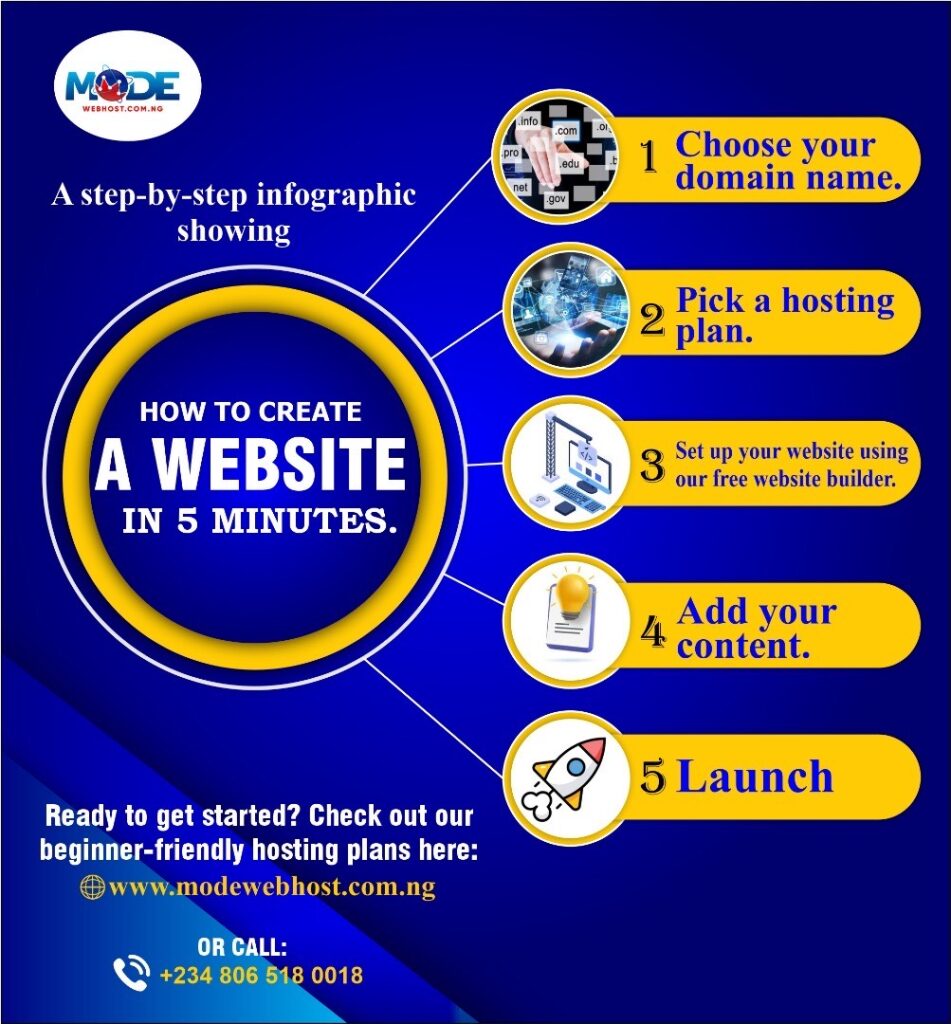
Cheapest .NG Domains in Nigeria: Why Modewebhost.com.ng is Your Best Option When it comes to establishing a strong online presence in Nigeria, registering a .ng domain is an excellent choice. Not only does it highlight your Nigerian identity, but it also boosts your local SEO, making your website more discoverable to Nigerian audiences. However, finding an affordable and reliable .ng domain registrar can be challenging. That is where Modewebhost.com.ng, a NIRA-accredited registrar, shines. In this blog, we will explore why Modewebhost.com.ng is the best option for affordable .ng domains in Nigeria and how you can get started today. Why Choose a .NG Domain? The .ng domain extension is Nigeria’s official country code top-level domain (ccTLD). It offers numerous advantages, such as: – Local identity: It reflects your Nigerian roots, making your website more relevant to local audiences. – SEO benefits: Search engines prioritize local domains in regional search results, enhancing visibility in Nigeria. – Short and memorable: .ng domains are often shorter and easier to remember compared to generic domains. – Wide availability: Many premium names are still available under the .ng extension, unlike .com. What to Look for in a .NG Domain Registrar Choosing the right registrar is crucial to ensure a smooth domain registration experience. A great registrar will offer: – Affordable pricing: Transparent fees without hidden costs. – NIRA accreditation: Official recognition from the Nigeria Internet Registration Association (NIRA). – User-friendly platform: Easy domain search and purchase processes. – Additional services: Bundles that include web hosting, SSL certificates, and email hosting. –Reliable support: 24/7 customer service to resolve issues promptly. Modewebhost.com.ng: The Best Place to Buy Cheap .NG Domains in Nigeria Modewebhost.com.ng is a trusted and NIRA-accredited registrar that offers some of the cheapest .ng domains in Nigeria. Here’s why they’re the best option for your domain registration needs: NIRA Accreditation Modewebhost.com.ng is officially recognized by NIRA, the governing body for .ng domains in Nigeria. This accreditation ensures they meet strict standards of reliability, transparency, and professionalism. Unbeatable Pricing Modewebhost.com.ng offers some of the most competitive prices for .ng domains in Nigeria. Their pricing is transparent, with no hidden charges. Whether you’re registering a standard .ng, com.ng, or org.ng domain, you’ll find the rates budget-friendly. Seamless Registration Process With Modewebhost.com.ng, registering a .ng domain is quick and hassle-free. Their user-friendly platform allows you to search for your desired domain name, check its availability, and complete the registration process in just a few clicks. Additional Services Modewebhost.com.ng doesn’t just stop at domain registration. They offer: – Affordable web hosting plans to power your website. – SSL certificates to secure your site. – Email hosting for a professional communication setup. Exceptional Customer Support Customer satisfaction is a top priority at Modewebhost.com.ng. Their responsive support team is always ready to assist, whether you need help choosing a domain or troubleshooting an issue. How to Register a Cheap .NG Domain on Modewebhost.com.ng Follow these simple steps to get your .ng domain: Visit Modewebhost.com.ng: Go to their website and use the domain search tool to check availability. Choose your domain: Select your preferred domain extension (e.g., .ng, .com.ng, org.ng). Add to cart:Proceed to checkout and review your order. Make payment: Use their secure payment gateway to complete your purchase. Start building: Your domain is now registered, and you can pair it with Modewebhost’s hosting services to launch your website. Why a .NG Domain is a Smart Investment A .ng domain is more than just a web address; it’s an investment in your brand’s visibility and credibility in Nigeria. By choosing a trusted registrar like Modewebhost.com.ng, you’re ensuring that your domain is registered securely and affordably. Conclusion If you are looking for the cheapest .ng domains in Nigeria without compromising on quality, Modewebhost.com.ng is your best bet. As a NIRA-accredited registrar, they offer unbeatable prices, reliable services, and excellent customer support. Don’t wait—secure your .ng domain today with Modewebhost.com.ng and take the first step toward building your online presence in Nigeria.
Best Domain Registration Company in Nigeria: Why Modewebhost.com.ng Stands Out

Best Domain Registration Company in Nigeria: Why Modewebhost.com.ng Stands Out When it comes to choosing the best domain registration company in Nigeria, businesses and individuals alike need a provider that offers reliability, affordability, and excellent customer service. Whether you are starting a blog, an e-commerce store, or a corporate website, your domain name is the cornerstone of your online presence. Among the plethora of options available, Modewebhost.com.ng consistently stands out as a top choice for domain registration and web hosting services in Nigeria. Why Your Choice of Domain Registrar Matters Your domain name isn’t just a web address; it is a crucial element of your brand identity. Selecting the right domain registration company ensures that your website operates without glitches, is secure, and remains accessible to your audience 24/7. The wrong choice can lead to technical issues, hidden costs, or subpar customer service that could impact your business operations. Features of the Best Domain Registration Company The best domain registration companies offer: – Affordable pricing: Transparent and competitive rates without hidden charges. – Ease of use: A user-friendly platform for domain search, purchase, and management. – Reliability: Uptime guarantees and robust infrastructure. – Customer support: Responsive, knowledgeable, and available when you need assistance. – Extra perks: Features like free WHOIS privacy, email forwarding, and website builders. Why Modewebhost.com.ng is the Best Domain Registration Service in Nigeria Affordable Pricing Modewebhost.com.ng offers some of the most competitive rates in Nigeria for domain registration. Whether you’re buying a .com, .ng, or other top-level domains, their pricing structure is transparent and budget-friendly, making them accessible to startups, SMEs, and large enterprises alike. Comprehensive Services Modewebhost.com.ng isn’t just a domain registrar; they provide a full suite of services, including web hosting, SSL certificates, email hosting, and more. This makes them a one-stop shop for all your online presence needs. User-Friendly Platform Their website interface is intuitive, allowing even non-tech-savvy users to search for, purchase, and manage domains with ease. The seamless integration of hosting and domain management ensures a hassle-free experience. Exceptional Customer Support One of Modewebhost’s biggest strengths is its responsive customer support team. They are available to help clients resolve issues promptly, ensuring that your website remains online and functional. Focus on Security In an era of increasing cyber threats, Modewebhost.com.ng prioritizes security. From SSL certificates to secure payment gateways, they ensure your online presence is safe and protected. Strong Local Presence As a proudly Nigerian company, Modewebhost.com.ng understands the unique needs of the local market. They offer localized solutions tailored to businesses in Nigeria, ensuring cultural relevance and practical benefits. Testimonials from Satisfied Clients Many customers have praised Modewebhost.com.ng for their excellent service delivery. Testimonials highlight their quick response times, reliable hosting solutions, and how they make domain registration a breeze. How to Get Started with Modewebhost.com.ng – Step 1: Visit Modewebhost.com.ng (https://www.modewebhost.com.ng) and use their domain search tool to check the availability of your desired domain name. – Step 2: Select your domain and proceed with registration. – Step 3: Add any additional services, such as hosting or DNS, as they offer free SSL, to build your complete online presence. – Step 4: Complete payment through their secure gateway and start building your website. Conclusion When choosing a domain registration company in Nigeria, Modewebhost.com.ng is the clear leader. With their affordable pricing, robust features, and exceptional customer support, they are the go-to solution for businesses and individuals looking to establish or expand their online presence. Don’t settle for less; visit Modewebhost.com.ng today and take the first step toward creating a successful digital brand.
How to Start a Blog in Nigeria: A Step-by-Step Guide
How to Start a Blog in Nigeria: A Step-by-Step Guide Blogging is becoming a powerful way for individuals, freelancers, and businesses in Nigeria to share ideas, build brands, and earn income. Whether you are a creative freelancer, a small business owner, or someone passionate about storytelling, starting a blog can open countless opportunities. One crucial step in this journey is choosing the right hosting plan to ensure your blog is reliable, fast, and secure. In this article, we will walk you through how to start a blog in Nigeria and highlight how Modewebhost.com.ng, a leading Nigerian web hosting provider, can support your journey. Step 1: Define Your Blog’s Purpose and Niche Before setting up a blog, ask yourself: – What will my blog focus on? Choose a niche you are passionate about, like fashion, tech, health, or personal finance. – Who is my target audience? Define the readers you want to attract. A clear purpose and niche make your blog stand out and attract the right audience. Step 2: Choose a Domain Name Your domain name is your blog’s unique address (e.g., www.myblog.com). Make it: – Memorable: Short, catchy, and easy to spell. – Relevant: Reflect your blog’s content or brand. Modewebhost.com.ng makes it easy to register domain names, including .com.ng and other top-level domains. Their platform ensures affordability and reliability, crucial for first-time bloggers. Step 3: Get the Right Hosting Plan Web hosting is where your blog’s content lives online. A reliable hosting provider ensures: – Fast loading speeds, essential for user experience and SEO. – Maximum uptime to keep your blog accessible 24/7. – Security to protect your data and prevent hacking. Here’s why Modewebhost.com.ng stands out: Affordable Hosting Plans Modewebhost offers tailored hosting packages for beginners, freelancers, and businesses. Their plans cater to blogs of all sizes, ensuring you pay only for what you need. Features That Help Bloggers Thrive – Free SSL Certificate: Build trust with your audience by keeping your blog secure. – One-Click WordPress Installation: Start your blog with the world’s most popular blogging platform, hassle-free. – Unlimited Bandwidth: Perfect for blogs expecting high traffic. – 24/7 Customer Support: Reliable assistance whenever you need it. Locally Focused Services Modewebhost.com.ng understands the Nigerian market, providing solutions tailored to the challenges and needs of bloggers in the country. Step 4: Install WordPress With hosting set up, it is time to install a content management system (CMS). WordPress is the go-to CMS for most bloggers due to its: – User-friendly interface. – Thousands of free and paid themes to customize your blog. – Powerful plugins to add functionalities like SEO optimization and social sharing. Modewebhost.com.ng offers a one-click WordPress installation feature, simplifying the process for beginners. Step 5: Customize Your Blog Now, make your blog visually appealing and unique by: Choosing a Theme: Find a WordPress theme that aligns with your niche. Installing Plugins: Use essential plugins like Yoast SEO, Akismet (for spam protection), and Jetpack (for analytics and security). Creating an About Page: Share your story and let readers know what to expect. Step 6: Start Creating Content Content is the heart of your blog. Write engaging, informative, and valuable posts that solve problems or entertain your audience. Use tools like Grammarly for editing and Canva for creating eye-catching visuals. Step 7: Promote Your Blog Once your blog is live, use these strategies to grow your audience: – Social Media: Share blog posts on platforms like Instagram, Twitter, and LinkedIn. – Email Marketing: Build an email list and keep readers updated on new content. – SEO: Optimize your posts with keywords to rank higher on search engines. Why Choose Modewebhost.com.ng for Your Blogging Journey? Modewebhost.com.ng simplifies blogging for Nigerians by offering: – Budget-Friendly Hosting Plans: Perfect for startups and freelancers. – Localized Support: Get guidance tailored to the Nigerian blogging space. – Scalability: As your blog grows, their hosting plans can easily accommodate increased traffic. With Modewebhost, you can focus on your content while they handle the technical details. Conclusion Starting a blog in Nigeria is an exciting way to share your voice, connect with others, and even earn income. By choosing the right tools, like a reliable hosting provider such as Modewebhost.com.ng, you set your blog up for long-term success. Are you ready to launch your blog? Visit Modewebhost (https://modewebhost.com.ng) today to find the perfect hosting plan for your blogging journey.
Websites to Sell eBooks in Nigeria

Websites to Sell eBooks in Nigeria The eBook industry in Nigeria is steadily growing every day, especially with the boom in digital services and products in recent years. If you are a Nigerian author or tutor looking to get into the field of eBook production, there is never been a perfect time to start. In this article, we will be discussing the ten best websites to sell eBooks in Nigeria. The cool thing about this list is that we are not just focused on the ones that accept Nigerian authors, but also the easiest to set up. 10 Best Websites to Sell eBooks in Nigeria If you have been dabbling with websites to sell eBooks in Nigeria for a while, chances are that you have come across these names already as they are the best in the industry. However, if you are just starting, these are great options to choose from. Amazon Kindle Direct Publishing With Kindle Direct Publishing, authors can finally self-publish and print your digital books and reach millions of readers around the world. Aside from Amazon being the biggest online store in the world, other perks like free publishing in more than 10 countries with over 45 languages are the real reason why they should be the top of your choices especially if you are looking to work with only one eBook store. Lulu Lulu is an online book publishing platform founded by Bob Young in 2002. According to their mission statement, they are dedicated to making the world a better place using one book at a time, through sustainable practices, innovative print-on-demand products, and a commitment to excellent service. Aside from their genuine commitment to the literary cause, their Lulu Direct feature that allows you to publish and sell books from your website which makes things convenient for your clients is something to consider. Okadabooks Launched in 2015, Okadabooks has grown to become one of the largest Nigeria-based eBook store and publishing platform in Nigeria. If you have been looking for a platform that is more focused on Nigerians other than just accepting Nigerian authors, this is arguably your best choice. With over 400,000 readers, it’s a safe space for African readers and a very liquid market for your books KoboWritingLife KoboWritingLife (KWL) is an online bookstore that pitches itself as the company which its sole goal is to help authors reach their readers wherever they are. With KWL, writers can self-publish eBooks & audiobooks and distribute them to multiple libraries via OverDrive. PayHip Payhip pitches itself as the all-in-one platform you need to start scaling and managing your business. The platform is more of an online course-selling website, not just your regular author self-publishing marketplace. It’s more suitable for publishing eBooks containing detailed guides/tutorials, software, design assets, templates, video courses, music, and more. If you are an online coach, this is the platform that you want to consider as their mode of operation already attracts your target audience. Smashwords Smashwords is a platform that is a lot like Amazon KDP; a powerful marketplace for books that are also available in physical print format. With Smashwords, you can sell pretty much any kind of written text. After integrating Draft2Digital, it has steadily grown to have nearly one million original eBooks within a community of over 250,000 authors. Much like other big names above, they are not publisher-exclusive, as such, you can have your work on the platform and still work with others to maximize profit margins. Scribd Scribd is a paid reading service with a vision of inspiring the world through stories and knowledge. Home to millions of eBooks, audiobooks, magazines, podcasts, documents, and more, the company is further divided into three; Everand offers millions of audiobooks, eBooks, magazines, newspapers, podcasts, and sheets, Scribd for hosting millions of documents, and SlideShare for hosting millions of presentations and other professional content. Being a paid reading service, you get paid whenever users open your book and they do not necessarily need to have it downloaded. The only blemish with using the service is that you can only work with them through affiliate companies like BookBaby, Dtaft2Digita, etc. E-Junkie E junky is a digital content marketplace launched by Robin K in 2003. Starting as a small software app selling platform, it has grown to add sales of other downloadables like eBooks, comics, game codes, and even physical products. All you need do is link your payment processor to your account, add product details, and you will be given a link to paste on your website, blog, and social media accounts. The only downside with choosing as one of your first choices is that the platform isn’t streamlined for eBooks only, so much promotion has to be done on your part rather than letting their shopping algorithm make some organic sales for you. Gumroad Gumroad is a platform that prides itself on helping creators do more of what they love while making a decent living at the same time. With Gumroad you can sell pretty much anything; digital products, physical products, memberships, etc. provided it is original, and yours, you can put it on their market for a flat 10% fee. Unlike some others on the list, Gumroad is one of the few platforms that operates a similar style to the bigger marketplaces like Amazon KDP and Smashwords; they have a shopping interface enabling you to make sales organically aside from personal promotions. Shopify Shopify is an all-in-one commerce platform to start, run, and grow a business – a goldmine for upcoming authors. For a welcoming package of $1/month for the first three months, you can sell pretty much anything from short cooking recipes, to complete courses and inspirational content. You can even sell physical products if you choose. Perhaps the downside you will find with picking this choice is that you are in full control of your inventory and it’s not just a publishing company for your books; if you wish to sell hard copies, you will
Top 11 Web Hosting Companies in Nigeria 2024

Top 11 Web Hosting Companies in Nigeria 2024 Are you looking to get into blogging or any business venture that requires a website? Or perhaps you are already thriving in your field but not just getting the top-notch service you desire from the hosting company you are currently working with. Whichever is the case, we are coming to the rescue with this article. In subsequent writing, we will be highlighting the top 11 web hosting companies in Nigeria in 2024. We have put together this list based on certain criteria like available hosting plans, security, affordability, and quality of customer service. Here are our top lists: ModeWebHost: Best All-Round Hosting Company. ModeWebHost offers a stellar hosting experience with its affordable and diverse plans, with its headquarters in Port Harcourt, Rivers State. Priced in Naira, their Shared and WordPress hosting options cater to a range of users, providing exceptional value for money. As if that wasn’t good enough, the inclusion of free SSL certificates, along with effortless WordPress and cPanel installations, enhances the overall package. Their site loading performance is impressive, ensuring fast and reliable website loading. More so, the user-friendly interface makes it easy for both beginners and experienced users to navigate. All-in-all, what sets ModeWebHost apart is its responsive customer support—prompt and helpful in addressing queries. Hostinger: Best Long-Term Pricing If affordability is key for you when considering hosting services, then Hostinger should be your top choice for consideration. Starting at a mere $2.99/month which can be stacked for up to 48 months, you are given the option to pay way less than regular hosting companies which will lure you in with $3 monthly subscriptions for your first year, then mark up over $12 for subsequent months. In addition, the ability to get free domains on your plans for the first year is quite the flex, making them the cake for any emerging entrepreneur blogger who wants to go into the game without spending much. Bluehost: Best WordPress Hosting If you are looking to get into strictly blogging with WordPress, then Bluehost is the platform you want to consider especially if you are just starting. Aside from giving a free domain for your first year, hosting only starts at $2.95/month for the first year, then $9.99 after. The platform has a remarkable integration with WordPress such that it is installed as soon as you pay for your hosting making the process very easy for beginners. More so, they have got an on-boarding process and wizard that takes first-timers through the interface. Truehost: Best Local Hosting Company Truehost is a Nigerian hosting company that new website owners tend to turn to when they feel safer when operating with a local company. With its head office at Amodu Tijani CL, Victoria Island, Lagos Nigeria, It’s the most convenient choice for the more conservative website owners that want to be in physical contact with the companies they do business with. As regards the actual hosting packages, they aren’t doing entirely badly either. They have got some of the best plans out there when comes to shared hosting reseller web hosting, windows hosting, and cloud web hosting. More so, they offer a 30-day trial package so you get to have a feel of what you’re dealing with before you decide whether it’s worth it to slide your card on or not. SiteGround: Best Web Hosting for Ecommerce Websites SiteGround takes 5th position as the best hosting company for e-commerce websites. They offer you full control over your website, and their perfect integration with WooCommerce just puts the icing on the cake. More so, their pricing plans are quite fair considering that they have one of the best uptime rates (99.7%) on this list – they charge $2.99/month for the first 12 months, and $14.99 for subsequent months. In addition, if for some reason, you seem not to fit in well with cPanel, you can try out their proprietary control panel which is a lot simplistic compared to what you get with cPanel. Lastly, it’s one of the few hosting companies with phone support; customers can manage their websites on the go through a mobile interface with no added cost. QServers: Best Low-Budget Host QServers, in recent years, has been the top choice for website owners that just need a teeny tiny website to run minimal operations. They are the go-to hosting company for hosting one-off event websites, landing pages, or portfolio pages that don’t require much interaction to consume bandwidth. Their Starter Pack goes for ₦1,500/month & ₦15,000/year, offering just 6GB of Web Space and 30GB of Bandwidth. Then there’s their flagship plan, the 500GB Hosting with 500GB Web Space, and 1TB Bandwidth, priced at ₦55,600/month, and ₦556,000/year. GreenGeeks: Best Eco-Friendly Web Hosting GreenGeeks is a web hosting company that was launched in 2008 to offer services to small businesses while allowing them to make a positive impact on the environment. With a vision of planting a tree for every new sign-up, they are without question the hosting company you want to work with if you’re cautious about how your actions can positively enrich the earth. Aside from their mission to keep greener earth, they are also among the few hosting platforms that don’t mark up prices on your second subscription cycle. In addition, they are a great choice for beginners who are looking for a platform to give step-by-step guides on every on-boarding process; they have got a Quick Launch Wizard that helps new users build new websites from scratch. DomainKing: Hosting Company with the Simplest UI DomainKing is a Nigeria-based web hosting provider that solves the issue of web host affordability and simplistic UI for beginner clients. They have got regular Web Hosting, WordPress Hosting, Managed VPS Hosting, and Reseller Web Hosting packages, making them a suitable candidate for any upcoming website owner regardless of what they look to achieve with their site. Being a Nigeria-based hosting platform, they aren’t using the famous markup technique; whatever you pay monthly
How to Get HTTPS for My Website in Nigeria

How to Get HTTPS for My Website in Nigeria HTTPS is an acronym for Hypertext Transfer Protocol Secure. It’s a combination of Hypertext Transfer Protocol (HTTP) and Secure Socket Layer (SSL) or Transport Layer Security (TLS). SSL works by using a public key to encrypt data transferred over its network, while TLS is an authentication and security protocol widely implemented in browsers and web servers. Although most web browsers support SSL, TLS is the current standard as it contains more features with a more advanced algorithm. To get HTTPS for your website means you are looking to get an SSL or TLS certificate installed on your website. Now there are different ways through which you can obtain these certificates: Certificate Authorities (CAs) – Purchase from Commercial CAs, Free SSL/TLS Certificates Hosting Providers SSL Resellers Wildcard Certificates Multi-Domain (SAN) Certificates Extended Validation EV Certificates Self-Signed Certificates ACME Protocols When researching for these certificates, you want to assume that all sources have the same security strength unless it’s being specified from the platform you are downloading or purchasing from. In subsequent writing, we will outline the step-by-step guides on how to install an SSL certificate for your site. How to Install SSL/TLS from cPanel Before beginning this process, you want to already have the certificate downloaded. It usually comes in the form of a *.key and *.crt file format, if you downloaded a zip file, you will want to extract it to make sure the file is in a recallable folder. However, if you downloaded a *.pem file, or your certificate is in text format, there will be an extra step below Log into your cPanel Locate the SSL/TLS manager by navigating through Websites & Domains >> SSL/TLS Certificates Proceed further to Manage SSL sites >> SSL/TLS Certificate Select the domain you want the certificate to be affected in Scroll down to the “Upload the certificate files” section and upload your *key or *crt file In a case where you downloaded a *.pem file, you will now have to upload it twice If you stored your certificate as text, you will want to use the “Upload as text” section. After you are done, a list of your newly uploaded certificates will be available in the repository. You can find it by navigating through Websites & Domains >> SSL/TLS Certificates. Now navigate through Websites & Domains >> Hosting Settings >> select SSL/TLS Support checkbox Now select the certificate you just uploaded and click “OK” Next time you try visiting your site without a prefix, “https://” will automatically be added to the page that is loaded. At modewebhost, we offer affordable and reliable web development, web hosting and domain registration services and all our hosting plans comes with free SSL certificates. Visit www.modewebhost.com.ng to get started with your online business journey.
How to Sell on Flutterwave

How to Sell on Flutterwave Flutterwave is a leading African fintech company that provides payment infrastructure for businesses and individuals across the continent. Founded in 2016, it has quickly become a key player in the region’s digital transformation, enabling seamless and secure online and offline transactions. In a bid to curb the effect of the Covid-19 pandemic on businesses (particularly SMEs), Flutterwave launched Flutterwave Store and Marketplace to help transition from regular offline physical stores allowing even local businesses to leverage global reach and deliver to massive numbers of clients within minutes. If you are a business owner looking to take payment for your products/services online, Flutterwave Store and Marketplace is a great way to start. In this article, we will be guiding you through a step-by-step guide on how to sell on Flutterwave. From how to set up your Flutterwave account, open a shop, integrate Flutterwave to your website, and the fees to expect based on types of payments. Step #1: Create a Flutterwave Account and Open a Shop For this article, we are going to assume that you are new to Flutterwave, as such, you have no account with them. However, if you have a Flutterwave account already, you can skip to the next step. Go to the platform Contact Sales page, you will be presented with a form Fill out the form accordingly, and click on “Send message” You will be sent a confirmation mail, and after successful confirmation, you will be redirected to your dashboard to fill in your business information. The new business information you will be filling will include things like how you would like to receive payments, and also your preferred bank account that you want to use for receiving payments. Step #2: Open a Shop on Flutterwave Store After successful account creation, your next step is to create a shop, add products, and publish your store’s link on your website or socials. On your dashboard, select “Store” from the menu Click on “Setup my store”, then edit the store’s default name to your choice and add a description. You can also edit your default URL here; it’s often an advised move especially if you intend on running. When done, click on “Complete setup” Your store will be generated and you will receive a link you can send to your target customers, share on social media, or use in ad creation to redirect clients to your products. Step #3: Add Products to your Store (Manage your Store) Now after your store is online, just before sharing it with the public, you will want to add some products so you don’t waste your clients’ time when they click on a store without any product. In your store, click “Add product” then fill in the required product details including photo and description. In case you end up having multiple stores, don’t worry, all products will be placed on the dashboard for easy sorting. If you want to update product info or have it deleted, locate the “Store Page”, and click on the product you wish to edit/delete, the product info will pop up for you to carry out the operation. Step #4: Integrate Flutterwave to your Website After creating your shop and adding some products, you will sure want to have a medium through which you will be distributing the products to your customers. Of course, having to send them the link to every product/shop you have is not optimal especially when there are better ways of going through with it. In this article, we have chosen to use website integration as an example because most ad managers will guide you on how to add your product link, and sharing on social media is pretty much the same as sharing your regular posts. Log into your Flutterwave account On your Flutterwave dashboard, choose integration method. You will find multiple integration methods including Shopify, WooCommerce, and WordPress Now you will want to follow the integration instructions. For example, if you wish to integrate with WordPress, you will see a short tutorial video when you click on it. Next, it’s time to install Flutterwave payment API into your website’s code. Navigate to the plugins section of your WordPress, search for “Flutterwave Payment Forms” and then install. Finally, you can test your integration by using Flutterwave’s test mode to perform a dummy transaction to confirm that everything is connected. Fee Structure for Selling on Flutterwave Before launching any product on Flutterwave Marketplace and Shop, you want to have a firm understanding of their fee structure; it will be crucial in setting up your prices and estimating profit margins. Fee Structure for Local Transactions 1.4% for ACH Κ0.5 for NQR transactions below ₦250 ₦1 for NR transactions between ₦250 and ₦999.99 ₦5 for NQR transactions between ₦1,000 to ₦4999,99 ₦25 for NQR transactions above ₦5,000 Fee Structure for International Transactions 3.8% per transaction Ability to accept payments from anywhere in the world International cards are charged and settled in your local currency by default Fee Structure for Transfers for Nigeria ₦10 for transfers to Bank accounts and Mobile Money at ₦5,000 and below ₦25 for transfers to Bank accounts and Mobile Money from ₦5,001 to ₦50,000 ₦50 for transfers to Bank accounts and Mobile Money above ₦50,000
How to reset cPanel Password in cPanel

How to reset cPanel Password in cPanel No website owner wants to be in a position where they can’t access their website, especially if it’s a case of a forgotten password that is avoidable. More so, if you happen to be logging your cPanel into a device that is not yours, it will do you good to know how to change it at a moment’s notice of a security breach or compromise. If you happen to be in any of these categories, worry not, in this article, we will be giving a step-by-step guide on how to reset the cPanel password. This article is for people who have forgotten their password even though they can still access their cPanel from the saved login details on their browser, and also for people who can’t access their account at all but have earlier set Contact Information. If unfortunately, you don’t fit in any of these categories, you can always contact ModeWebHost to help you with your cPanel account. Resetting cPanel Password: Step-By-Step Guide There are two methods for resetting the cPanel password; in the cPanel interface where you get to specify a new password, and in the login page which involves the new password being sent to your Contact Information. How to reset cPanel Password in cPanel Interface Login to your cPanel with the saved password in your browser Click on the user menu icon located in the top-right corner of the cPanel Click on Password & Security On the new window, enter your previous password, the new one, and the confirmation. You can also opt to auto-generate a password that passes cPanel’s password strength requirements with ease. Click the blue “Change your password now!” button to save your changes How to reset cPanel Password on the Login Page For the method to work you must Enable the Reset Password for cPanel accounts in WHM. To do this, simply navigate through WHM >> Home >> Server Configuration >> Tweak Settings. If you are having trouble accessing the WHM interface, don’t hesitate to contact us for assistance. You must have had a contact email address set in Contact Information before the reset. If all these are in place, then you can proceed. Go to your cPanel’s login page Click on Reset Password Enter your contact email address. It must match what you have in your Contact Information Visit your contact email, and copy the verification code. Enter the code, on the cPanel password recovery interface, and submit On the new window, enter your new password, and confirm.
How to Reset Email Password on cPanel
How to Reset Email Password on cPanel So, you happen to be having some issues with your website’s Email, and for some reason, you need to have the password reset. Look no further as ModeWebHost’s tutorial on how to reset email passwords on cPanel has you covered. In the dynamic world of online communication, cPanel stands as your ally in regaining control over your inbox. Join us as we demystify the process, empowering you to effortlessly navigate the twists and turns of password recovery. Resetting Email Password on cPanel: Step-by-Step Guide Say goodbye to the frustration of forgotten passwords, and let’s embark on this quick and efficient journey to ensure your inbox remains a stress-free haven. Step #1 Login to cPanel If you don’t already know how to log in to your cPanel, you can do it by typing in “https://yourdomain.com:2083” or “https://yourdomain.com/cPanel” on your browser, then proceed to input your username and password. If that’s still an issue and you have got an account with us, don’t hesitate to reach out for assistance. Step #2 Find the Emails Section You will find this by clicking on “Email Accounts” under the Emails section. Step #3 Locate and manage Mail Now, a new window will pop up with all the emails associated with your cPanel. Locate the one you wish to have the password reset, and click on “Manage”. On the next interface, you will find the option to enter a custom new password, and you can also click on “GENERATE” to get a new system-generated password. Step #4 Save Your Changes If you have successfully changed the password to something that’s recallable and supports the minimum password strength, you can then proceed to click on the “UPDATE EMAIL SETTINGS” button to save your changes.
How to Create Email Accounts on cPanel
How to Create Email Accounts on cPanel ModeWebHost allows users to own email accounts and manage them with their cPanel, it’s usually not always created by default. While that is the case, the process is very short and simple as your cPanel username is usually pre-set as an email account, you just need a few steps to have it activated. In this article, we have created a step-by-step guide, to demystify the process, empowering you to seamlessly set up personalized email addresses tailored to your needs. Whether you are a business owner looking to establish a professional online presence or an individual aiming for organized communication, dive into the world of cPanel and discover how easy it is to manage your email ecosystem. How to Create an Email Account on cPanel: Step-By-Step Guide Step #1 Login to cPanel On your web browser, navigate to your cPanel login page, and enter your username and password to access your cPanel dashboard. Step #2 Locate the Email Section On your dashboard, scroll down or search for the “Email” section within cPanel. Here, you will find all the tools related to email management. Step #3 Click on “Email Accounts” Look for the “Email Accounts” icon or link and click on it. This will take you to the interface where you can manage existing email accounts and create new ones. Step #4 Choose a Domain As stated at the beginning of the article, there is already a predefined email address/domain for your site. However, if you have multiple domains associated with your cPanel account, select the domain for which you want to create the email account. Step #5 Create a New Email Account Find the option to “Create a New Email Account” or something similar. Here, you will be prompted to enter details such as the username, password, and mailbox quota for the new email account. Step #6 Set Username and Password Now choose a unique username for the email account. It often takes the form of “yourname@yourdomain.com.” Set a strong password to ensure the security of your email account. Step #7 Set Mailbox Quota Specify the mailbox quota for the new email account. This defines the amount of disk space allocated to store emails. You can set a quota based on your preferences or the needs of the email section of your site/business. Step #8 Additional Settings (Optional) Depending on your requirements, you might find additional settings like setting up email forwarding, enabling auto-responders, or configuring spam filters. Adjust these settings as needed. Step #9 Create the Email Account Once you have filled in the necessary information, click on the “Create” or a similar button. cPanel will then generate the new email account for you. Step #10 Access your Email After successfully creating the email account, you can access it through webmail or configure it in your preferred email client (such as Outlook or Thunderbird) using the provided settings. To confirm that your email account was properly created, you can use Webmail to check your account. ModeWebHost ModeWebHost is one of Africa’s largest and best-rated hosting providers with free cPanel offers on all their hosting plans. As we don’t charge upfront or renewal packages for it, you won’t see it among the array of functionality and features you get with different packages. Nevertheless, they have got the best options to explore especially if you are interested in getting a free SSL certificate with your cPanel. ModeWebHost’s understanding of the needs of Nigerian customers gives them a competitive advantage over other registrars. They offer a unique set of .ng domain features that are not particularly common elsewhere. The combination of local market knowledge and exclusive features enables them to provide more efficient services.